
Log · Free and premium
Track water and hydration reminders
Record water from the daily view and choose how often CalorieGram reminds you.
About 2 minutes4 stepsReviewed for v1.11.0
Before you start
Where to find it
Macros or Food → Water card
Have ready
- Notification permission for reminders
Step by step
Walkthrough
- 01
Open the water card
Find Water on the daily dashboard or diary and choose Add Water.
- 02
Enter the amount
Select or type the amount you drank using your preferred unit, then save.
- 03
Review the daily total
Use the water progress card to see how the logged amount compares with your target.
- 04
Adjust reminders
Open the water card settings or notification settings and select a reminder frequency that is useful without being disruptive.
What you will see
These screens show the current app layout. Platform-specific labels and controls are noted below.
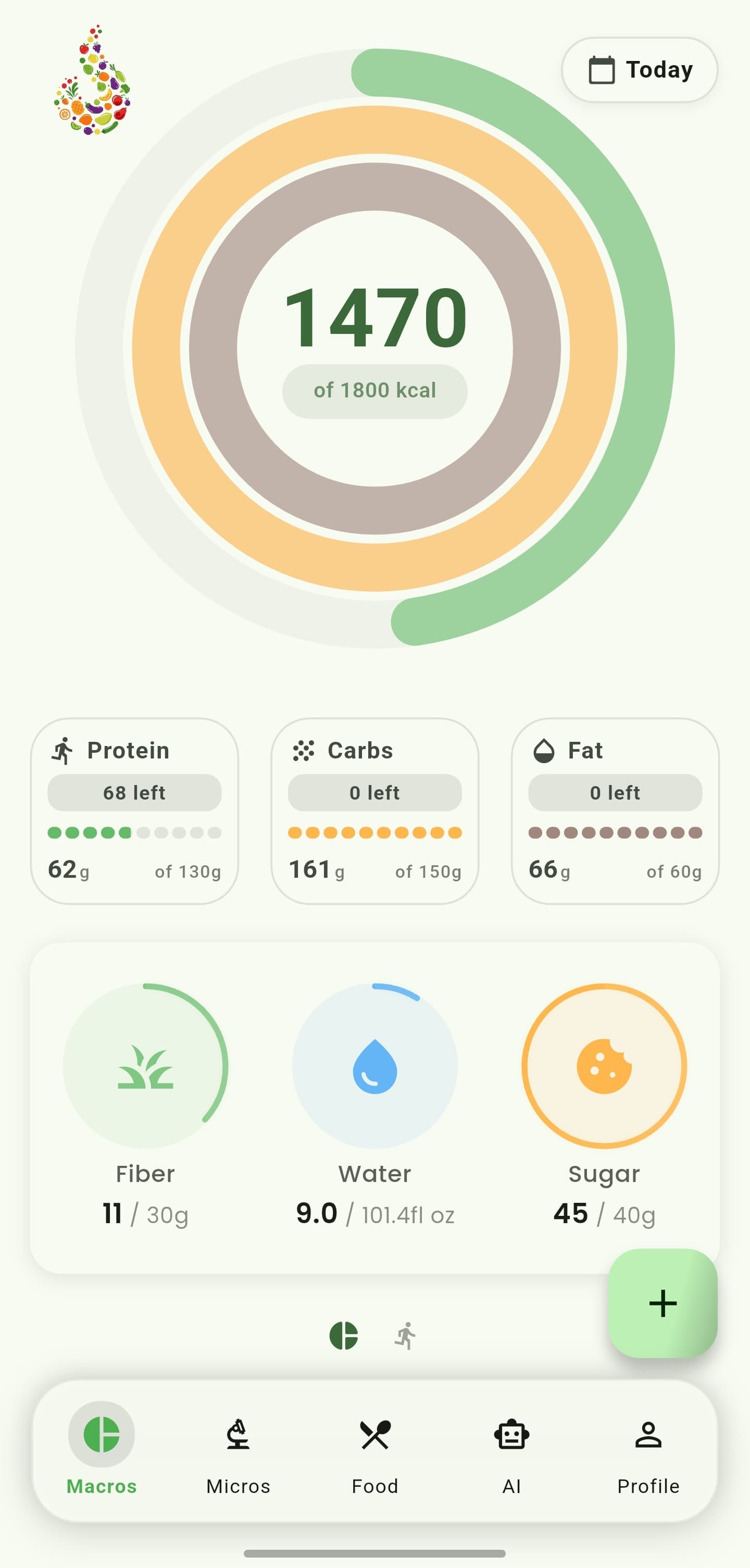
iOS and Android
iOS
- The operating system can suppress reminders when notifications or focus settings are disabled.
Android
- The operating system can suppress reminders when notifications or focus settings are disabled.
If something looks wrong
- Check notification permission if reminders never appear.
- Edit or remove an incorrect water entry from the daily log.
Keep learning
Still need a hand?
Tell us which step you reached and what you expected to happen. We will help you find the next move.
Contact support