
Connect · Free and premium
Share meals, recipes, and progress
Create a share card or app link while controlling which nutrition details leave your account.
About 3 minutes4 stepsReviewed for v1.11.0
Before you start
Where to find it
Open a meal, recipe, daily summary, or achievement → Share
Have ready
- A saved item or summary to share
Step by step
Walkthrough
- 01
Choose the source
Open the meal, recipe, daily log, or milestone you want to share.
- 02
Review the preview
Check the displayed foods, nutrition values, name, date, and any optional image.
- 03
Customize available details
Hide or change optional presentation choices before exporting when those controls are available.
- 04
Use the system share sheet
Choose the destination and verify the final message or image before sending.
What you will see
These screens show the current app layout. Platform-specific labels and controls are noted below.
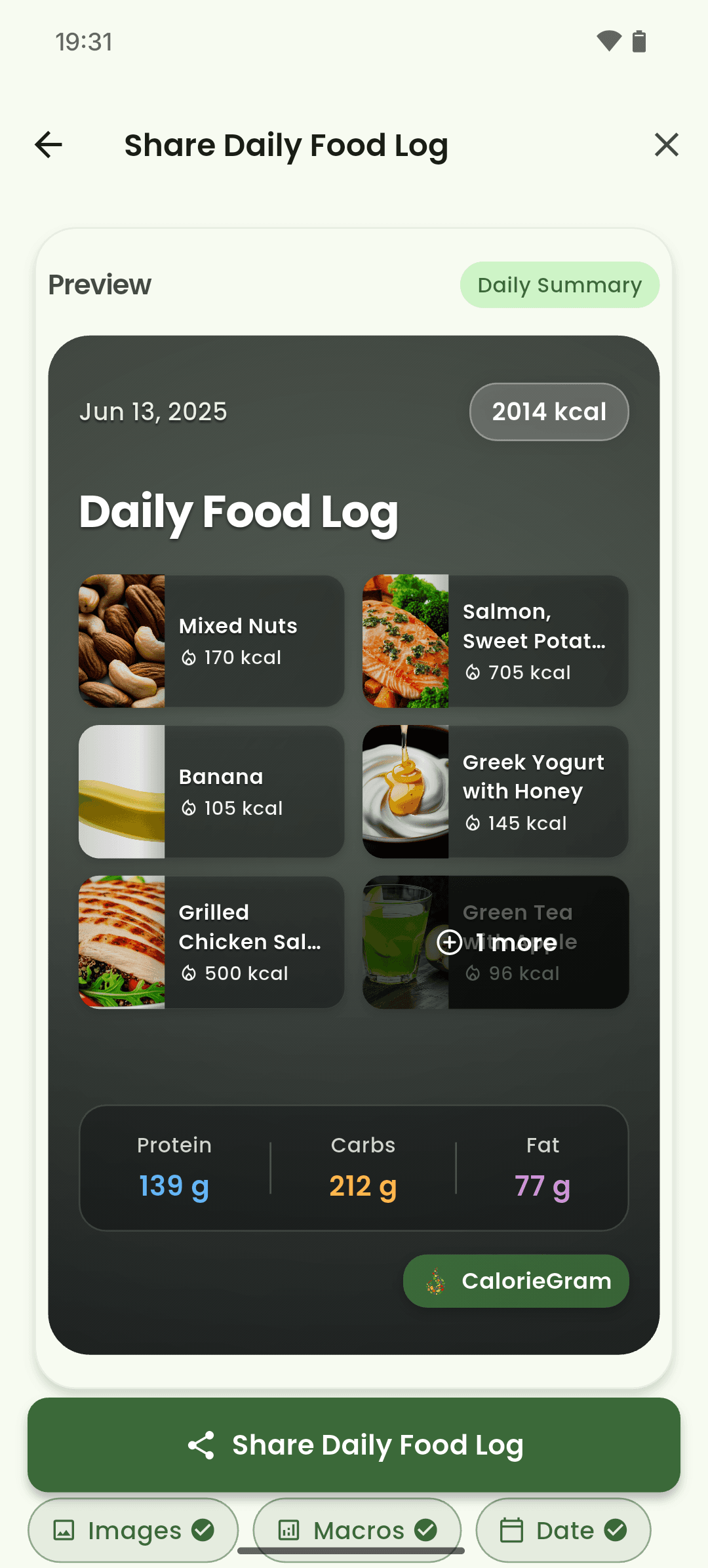
iOS and Android
iOS
- Available share destinations come from the apps installed on your device.
Android
- Available share destinations come from the apps installed on your device.
If something looks wrong
- If an image is missing, wait for it to finish loading before opening Share.
- Anyone with a shared link may be able to view the shared item, so treat it as public.
Keep learning
Still need a hand?
Tell us which step you reached and what you expected to happen. We will help you find the next move.
Contact support